
Technical Root Cause & Diagnostics
Standing desk memory presets normally depend on the control panel, control box, height sensor feedback, and stored calibration data working together. When a preset refuses to save, disappears after power loss, or causes the desk to return to default positions, the fault is usually in the keypad/control-box state, calibration data, power interruption, or a safety feature rather than the lifting columns themselves.
I start by separating a preset-storage problem from a position-detection problem. If the desk moves correctly when the up/down buttons are held but does not remember a saved height, the motors and columns are probably functional. If the desk also stops at incorrect heights, moves only a short distance, displays an error, or requires repeated resets, calibration or the control box becomes a stronger suspect.
Common symptoms include:
- Pressing a memory button does nothing.
- A saved height works temporarily but disappears after unplugging the desk.
- The desk returns to a different height after pressing a memory button.
- Memory buttons flash but do not store a position.
- The keypad displays an error such as
E01,E02,E07,RST, orASR, depending on the manufacturer. - The desk only moves while the up/down button is held.
- The desk reaches the correct physical height but stores the wrong value.
- Memory presets reset after a power outage or power-strip shutdown.
- One side of a dual-motor desk appears to move differently from the other.
- The keypad works but its displayed height does not correspond to the actual desk position.
Pre-Flight Sanity Checks (Rule Out the Basics)
1. Check whether the desk is receiving stable power.
Connect the desk directly to a known-good wall outlet temporarily instead of a switched power strip, smart plug, or extension lead. Make sure the power cable is firmly seated in the control box and wall outlet.
Do not repeatedly unplug and reconnect the desk while it is moving.
2. Test manual movement before testing memory.
Use the normal Up and Down buttons and move the desktop through a reasonable portion of its range. Observe whether both sides rise and lower evenly.
If manual movement is already unreliable, do not concentrate on memory programming yet. A preset cannot reliably work when the controller does not know the desk’s actual position.
3. Check whether the problem occurs after power loss.
Save a test preset, move the desk to another height, and recall the preset. Then unplug the desk for approximately 30 seconds, reconnect it, and test the same memory button.
This separates a temporary keypad problem from a controller that is losing stored configuration whenever standby power disappears.
Method 1: Perform the Manufacturer’s Reset/Initialization Sequence
The most useful first repair is a controller reset because the displayed height can become inconsistent with the controller’s stored position.
Lower the desk until there is enough clearance around the legs and underneath the desktop.
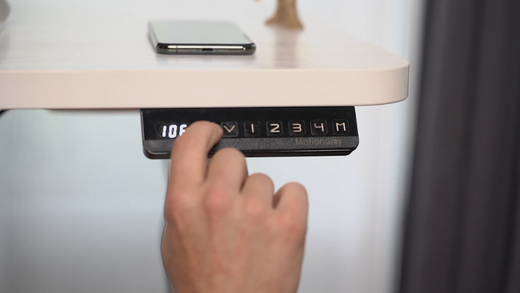
On many standing desks, the reset procedure is performed by pressing and holding the Down button. Continue holding it even after the desk reaches its lowest position. Depending on the controller, you may see RST, ASR, or another reset indicator.
Keep holding the button until the desk performs the controller’s reset movement or the display returns to a normal height value.
Do not release the button immediately when the desktop reaches the bottom. Many controllers require an additional few seconds at the lower limit to establish the reference position.
After initialization completes, raise the desk to a convenient test height.
Now program one memory position. On many keypads this involves moving the desk to the desired height, pressing M, and then pressing a numbered memory key such as 1, 2, 3, or 4. The exact key sequence varies by controller, so use the sequence printed on the keypad or supplied with the desk.
For the test, use only one preset rather than programming every available memory location.
Verification: Move the desk away from the programmed position and press the saved memory button; if it returns to the same height consistently, the controller’s position reference was likely the underlying problem.
Technical Note: A reset sequence is not universal across standing-desk manufacturers. Some controllers use Down + M, others use a long press of Down, and some require a specific key combination. Do not assume that a reset sequence from another desk brand applies to your controller.
Method 2: Clear Controller State and Recalibrate the Height Position
If the reset completes but the memory position still changes unexpectedly, check whether the controller is retaining incorrect height information.
First disconnect the desk from mains power.
Wait at least 30 seconds before reconnecting it. This gives the control box time to discharge and terminate its previous controller state.
Reconnect the power and wait for the keypad to initialize.
Do not immediately program a memory preset. First perform the controller’s complete reset procedure again.
After the reset, move the desk to a known position and observe the displayed height. If the display shows an obviously incorrect value—for example, the desk is physically near its minimum position but the controller reports a substantially different height—the desk may require a height-offset or calibration procedure.
Some control systems provide a programmable height correction through the keypad. Others store the minimum and maximum travel positions during initialization. Follow the procedure specific to the controller model rather than changing arbitrary values.
Also inspect the cables between the keypad and control box. Disconnect power before reseating any connector. Look for partially inserted plugs, bent contacts, crushed cables, or connectors that can move when the desktop is raised.
If the desk has two lifting columns, inspect both motor cables at the control box. A loose motor connection can produce position errors that appear to be a memory problem.
Verification: After recalibration, manually move the desk through several positions, return to the programmed height, and repeat the memory recall at least three times; the preset should consistently stop at the same physical position without requiring another reset.
Warning: Do not change undocumented control-box parameters or attempt random keypad combinations from unrelated desk models. Record the original settings whenever the controller provides configurable values, and disconnect mains power before reseating motor or keypad connectors.
Method 3: Isolate the Keypad, Control Box, and Motor/Column Fault
If memory presets still reset, determine which hardware component is actually losing the information.
Start with the keypad. Check whether every button responds normally. A partially failing membrane keypad can register some commands while failing the memory-programming button or producing intermittent input.
If the keypad uses a detachable cable, inspect and reseat that connection with the desk unplugged.
Next inspect the control box. Confirm that the keypad connector and motor connectors are fully inserted. On a dual-motor desk, verify that the left and right lifting-column cables are connected to the correct control-box ports if the manufacturer identifies separate ports.
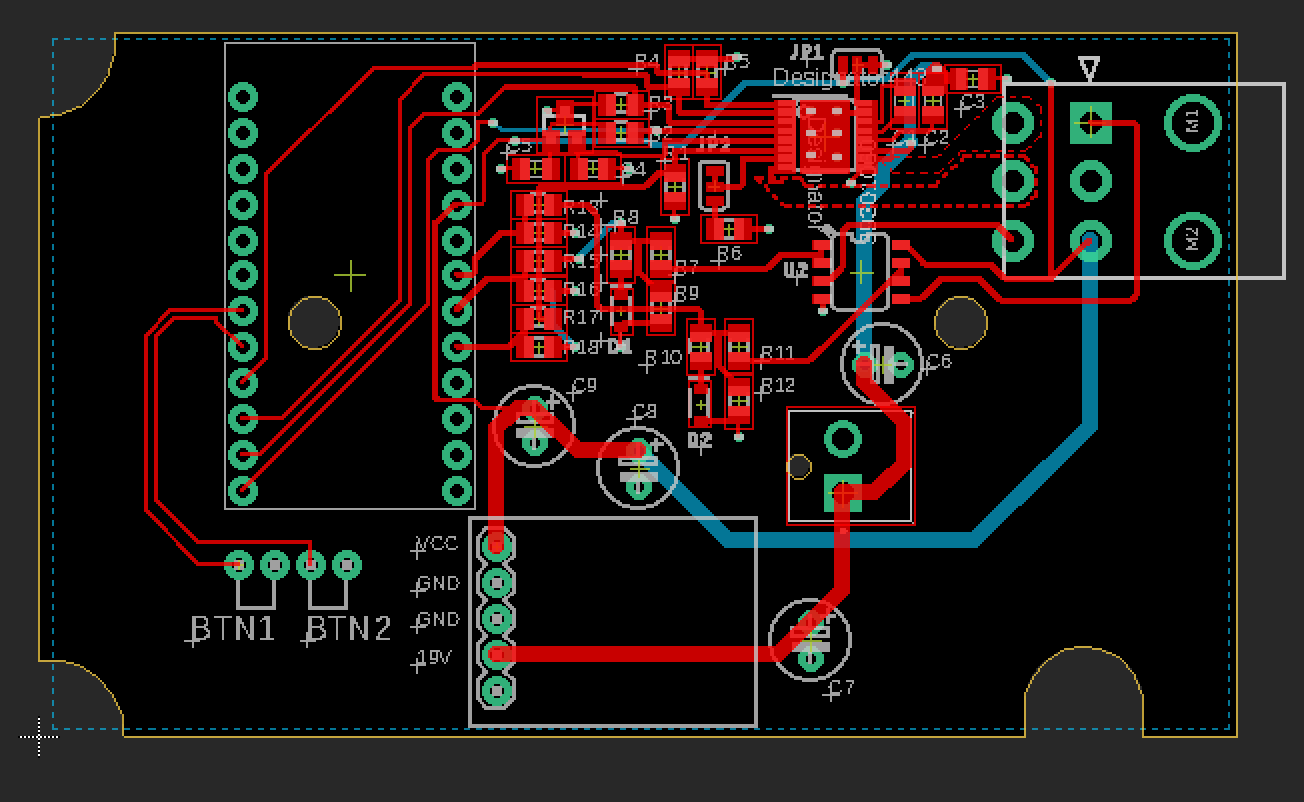
If your desk manufacturer provides a replacement keypad, compatible control box, or diagnostic procedure, test only components explicitly listed as compatible with your control system. Standing-desk controllers that look physically identical can use different firmware and motor protocols.
A useful isolation test is to program a memory position, disconnect only the keypad after removing mains power, reconnect it, and test again. If the preset survives but cannot be recalled reliably through the keypad, the keypad or its communication path deserves further investigation. If the controller loses the preset after a complete power removal, the control box’s nonvolatile storage or firmware becomes a stronger suspect.
For desks that began resetting after a power event, firmware or control-box failure is also possible. A replacement controller should be matched by model and motor specifications rather than selected solely because its connector looks identical.
Verification: After confirming all connections and replacing only a manufacturer-compatible faulty component, perform five consecutive memory recalls from different starting heights; a stable result indicates that the hardware path is retaining and executing the stored preset correctly.
Long-Term Prevention & Configuration Lock
1. Avoid switching the desk’s mains power off unnecessarily.
Do not use a smart plug or switched power strip to cut power after every work session unless the manufacturer explicitly supports it. Some controllers need standby power for normal operation, and frequent hard power removal makes intermittent controller faults harder to diagnose.
2. Keep the control-box wiring strain-free.
Route motor and keypad cables so that raising the desktop does not pull on their connectors. A connector that works when the desk is low but becomes stressed at maximum height can create intermittent faults that look like software or memory failures.
3. Document the working reset and memory procedure.
Once the desk is calibrated, record the exact reset sequence, controller model, and programmed memory positions. If the controller is replaced later, this information makes it much easier to restore the configuration without experimenting with undocumented button combinations.
Advanced Edge-Case FAQ
Why do my standing-desk presets work until I unplug the desk, then disappear?
This behavior is different from a simple calibration error. A correctly calibrated controller should normally retain its configuration according to its design, although exact behavior varies by model. If every preset disappears after complete power removal while manual movement remains normal, test the desk with a direct wall connection and verify whether the manufacturer specifies nonvolatile memory for the controller. If the behavior continues, the control box may have a firmware or memory-retention fault.
Why does the desk save a preset but stop several centimeters away from the original position?
This usually points toward inaccurate position feedback or calibration rather than the memory button itself. The controller stores a numerical position derived from its motor/column feedback, so an incorrect reference point can make a correctly stored number correspond to the wrong physical height. Perform the complete manufacturer reset and initialization procedure, then compare the result from multiple starting positions. If the physical stopping point remains inconsistent, inspect the motor/column connections and controller rather than repeatedly rewriting the preset.
Why does one side of my dual-motor standing desk move differently after a reset?
A dual-motor desk depends on the control box keeping both lifting columns synchronized. If one column has a loose connector, mechanical resistance, damaged cable, or different position feedback, the controller may detect an abnormal position and prevent normal memory operation. Lower the desk according to the manufacturer’s reset procedure and watch both columns carefully for uneven movement, unusual noise, hesitation, or repeated stopping. If the columns remain out of synchronization after a correct reset, stop repeatedly cycling the desk and investigate the motor/control-box hardware before programming additional presets.